

Targeting with Labels
This guide shows how to target user segments with Labels when using Storyly Placement SDK on Web.
Before you begin
Make sure you have a working Placement integration (token, view, provider) as described in the Initial Setup.
Set your Labels in Storyly Dashboard
Labels allow you to target specific user groups, such as new users, users from particular regions, or users with a specific language preference.
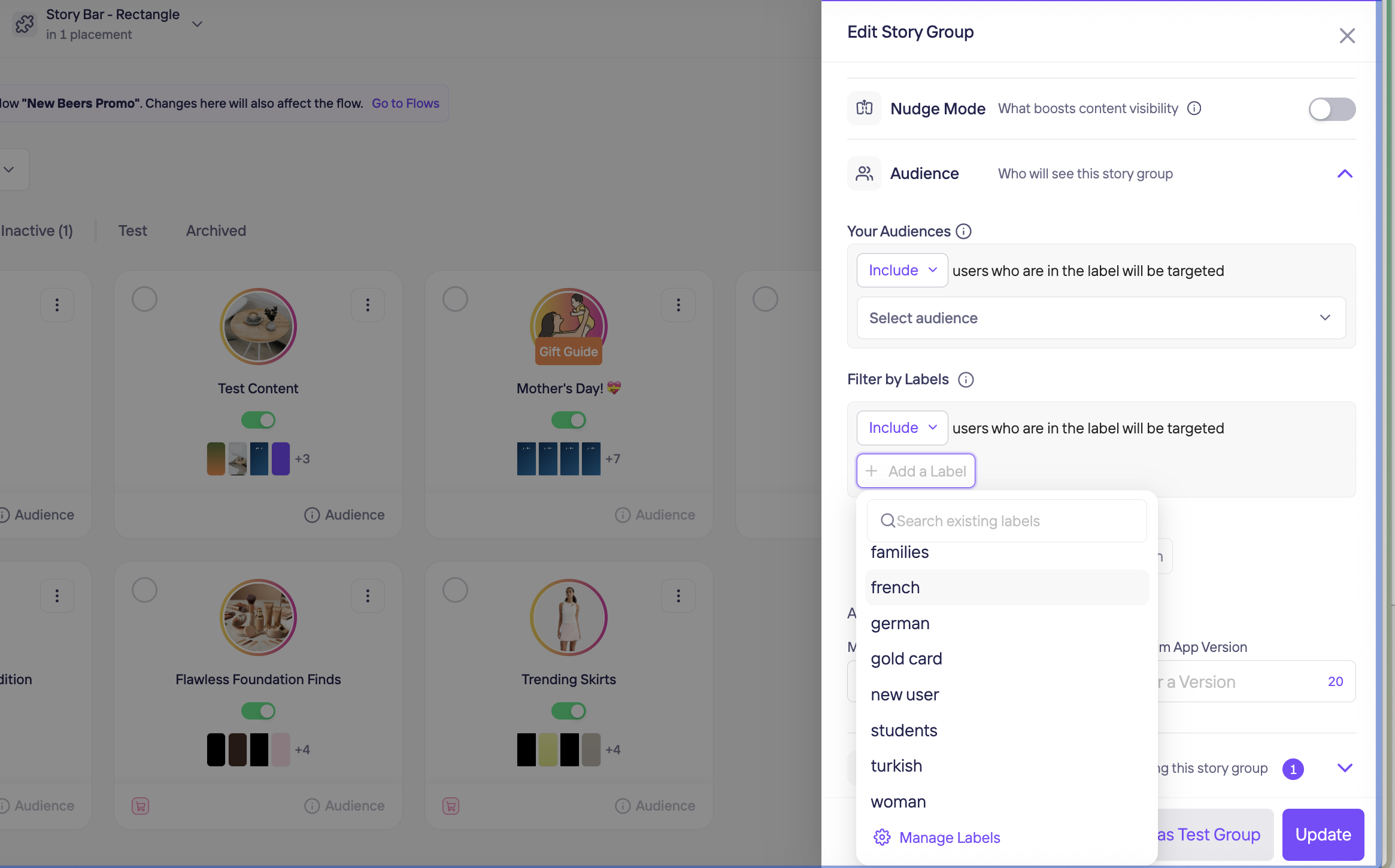
In the Storyly Dashboard, when creating a Story Group, you will see an Audience section. By enabling the Labels option, you can define labels such as "newcomers" or "Europe" to control which users can view that Story Group.
You can also combine multiple labels using AND or OR logic, depending on your targeting requirements:
AND: Users must have all selected labels.
OR: Users must have at least one of the selected labels.
- Use labels like:
["new comers", "europe"] - Select AND / OR depending on your targeting logic
Pass Labels to the SDK
In order to make these labels work, you need to pass labels in the config block where you inject the token as well.
<script>
  (async () => {
    await customElements.whenDefined("storyly-placement");

    const storylyPlacement = document.getElementById("storylyPlacement");
    const storylyPlacementContainer = document.getElementById(
      "storylyPlacementContainer"
    );

    const config = {
      token: "<your_placement_token>",
      labels: ["new comer","europe"],// passing labels under config
    };

    storylyPlacement.init(config);
  })();
</script>
You can also change segments on the go as follows:
storylyPlacement.setLabels(["new comer","europe"])
Label Behavior
- If you do not give any parameters to segments, Storyly Placement SDK will show all active Story Groups with/without labels. This is the default behavior.
- AND condition: When the Audience uses an AND condition for the labels ["new comers", "europe"], the Storyly Placement SDK displays the Story Group only if both ["new comers"] and ["europe"] are passed to setLabels.
- OR condition: When the Audience uses an OR condition for the labels ["new comers", "europe"], the Storyly Placement SDK displays the Story Group if either one of ["new comers"] or ["europe"] is passed to setLabels.
Important
- Label values are case-sensitive on many backends; prefer consistent lowercase labels (e.g.
"europe", not"Europe").- If you change labels at runtime, ensure the Placement provider/view refreshes data accordingly in your integration.
Updated 4 months ago