

Creating a Swipe Card Widget
How to create a Swipe Card Widget?
A Swipe Card is aTinder-like left/right swipe carousel that lets users quickly sift through products or offers, surfacing their favorites with a single, satisfying gesture. You can use this widget to showcase products in an interactive swipeable card format.
Create a Swipe Card Widget
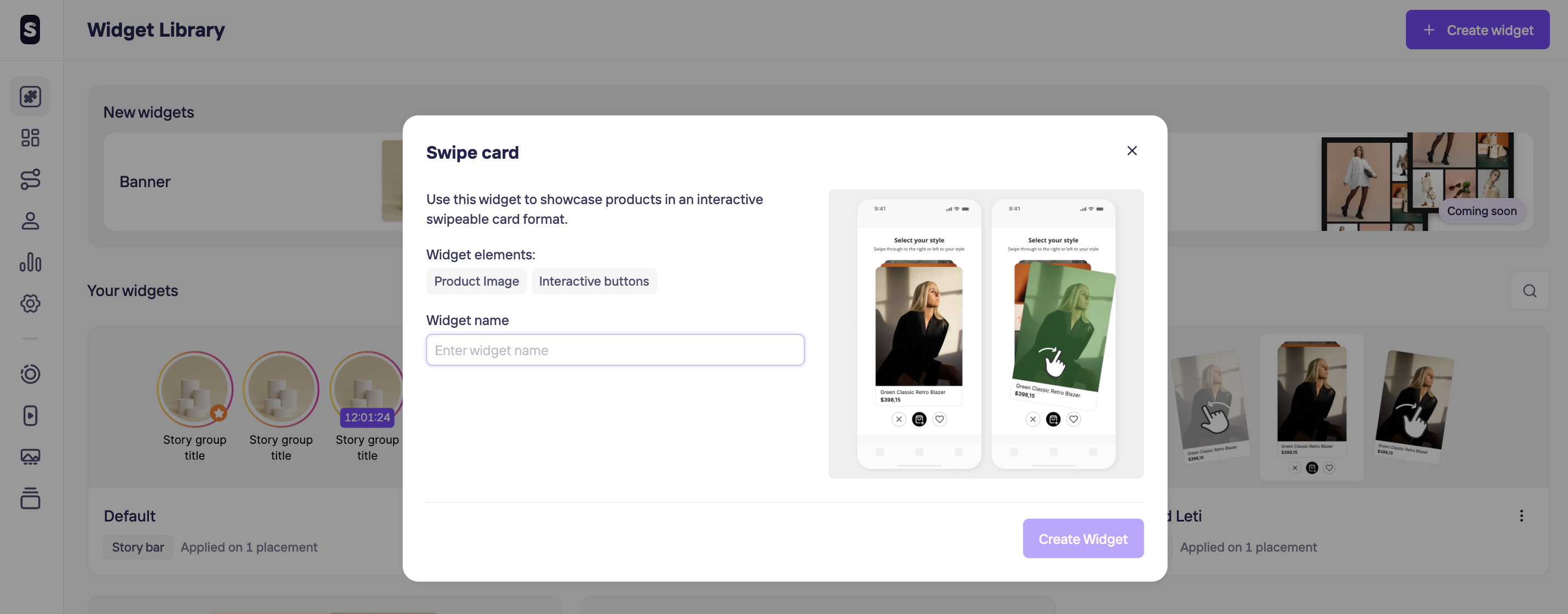
For creating a Swipe Card widget, click on + Create widget in the top left corner and chose the Swipe Card option. The next steps will be giving a unique name to help you identify it later and hit Create Widget button.
Edit Swipe Card Widget Design
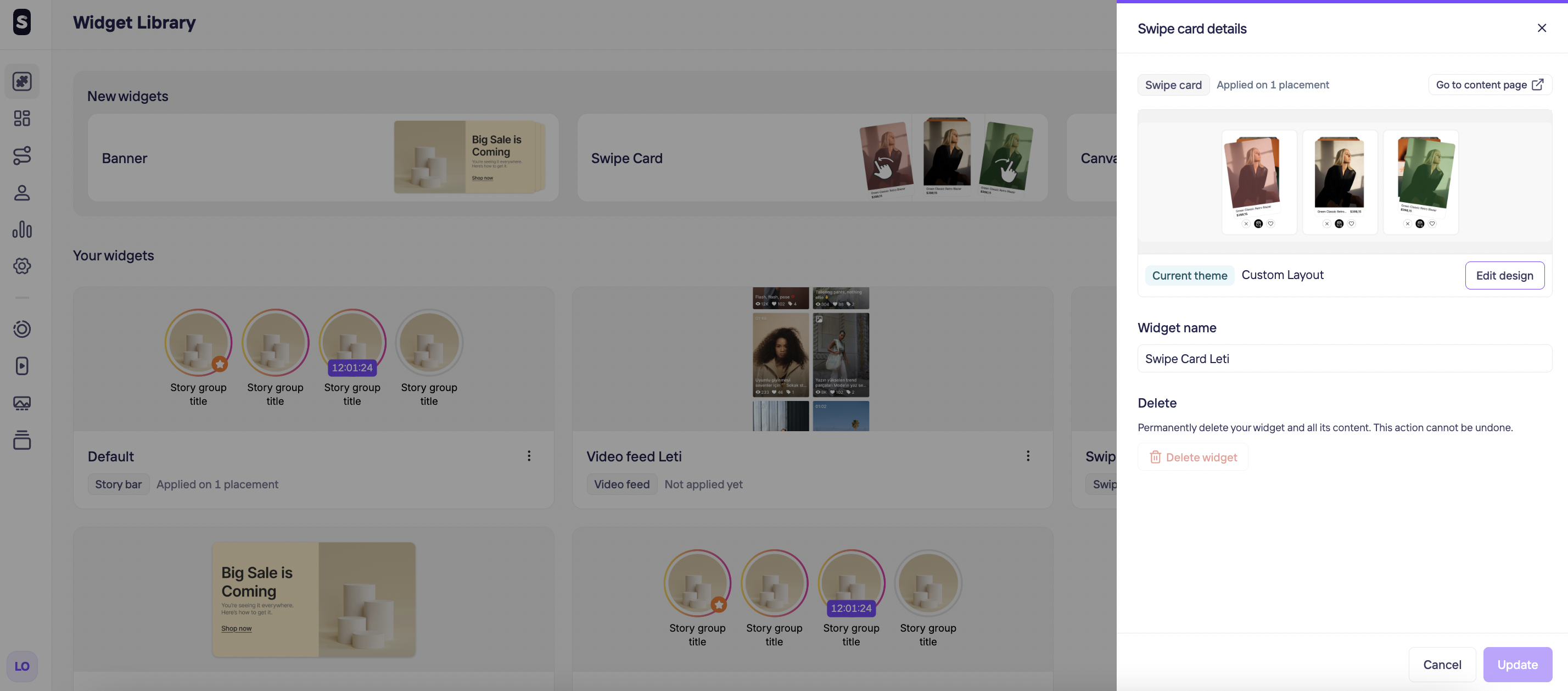
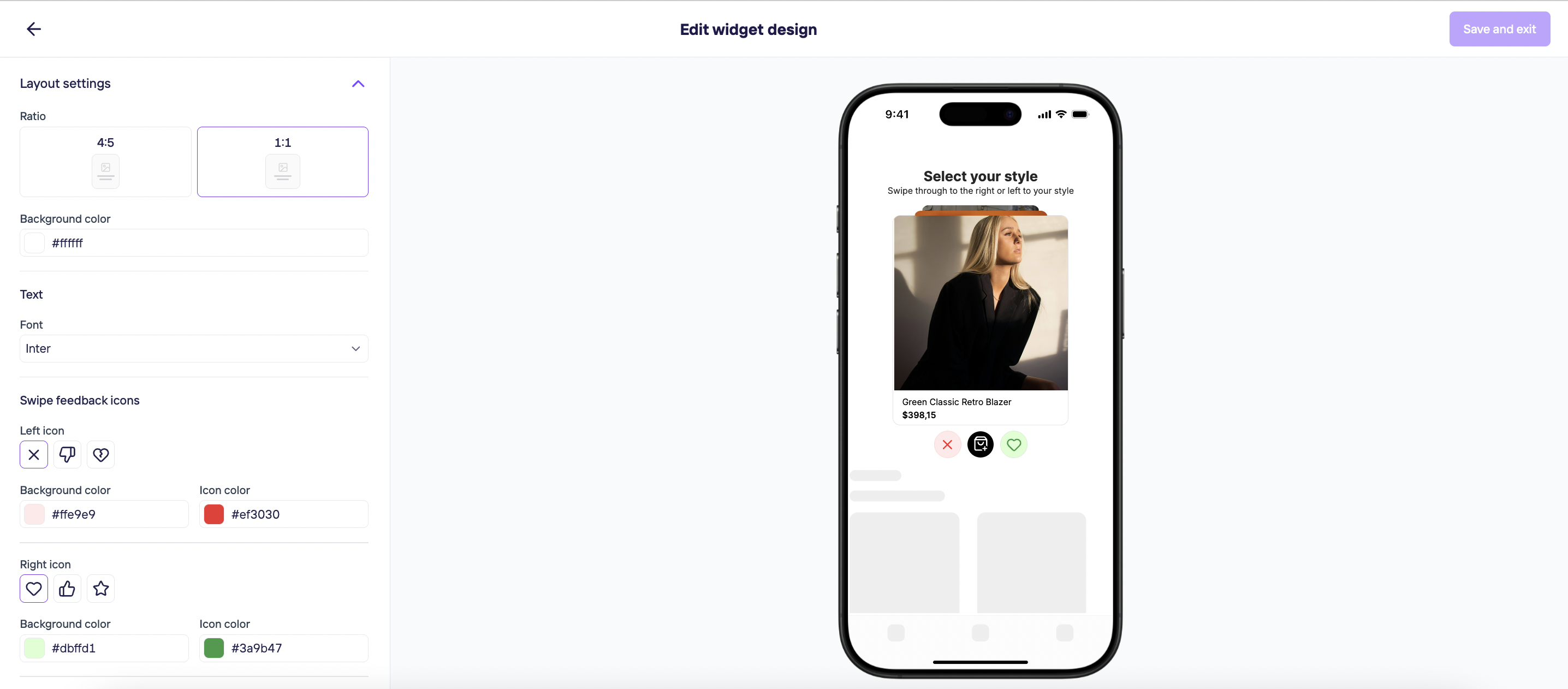
By clicking on Edit design, you decide on your Layout settings, Text font, Swipe feedback icons and End-of-swipe-card message.
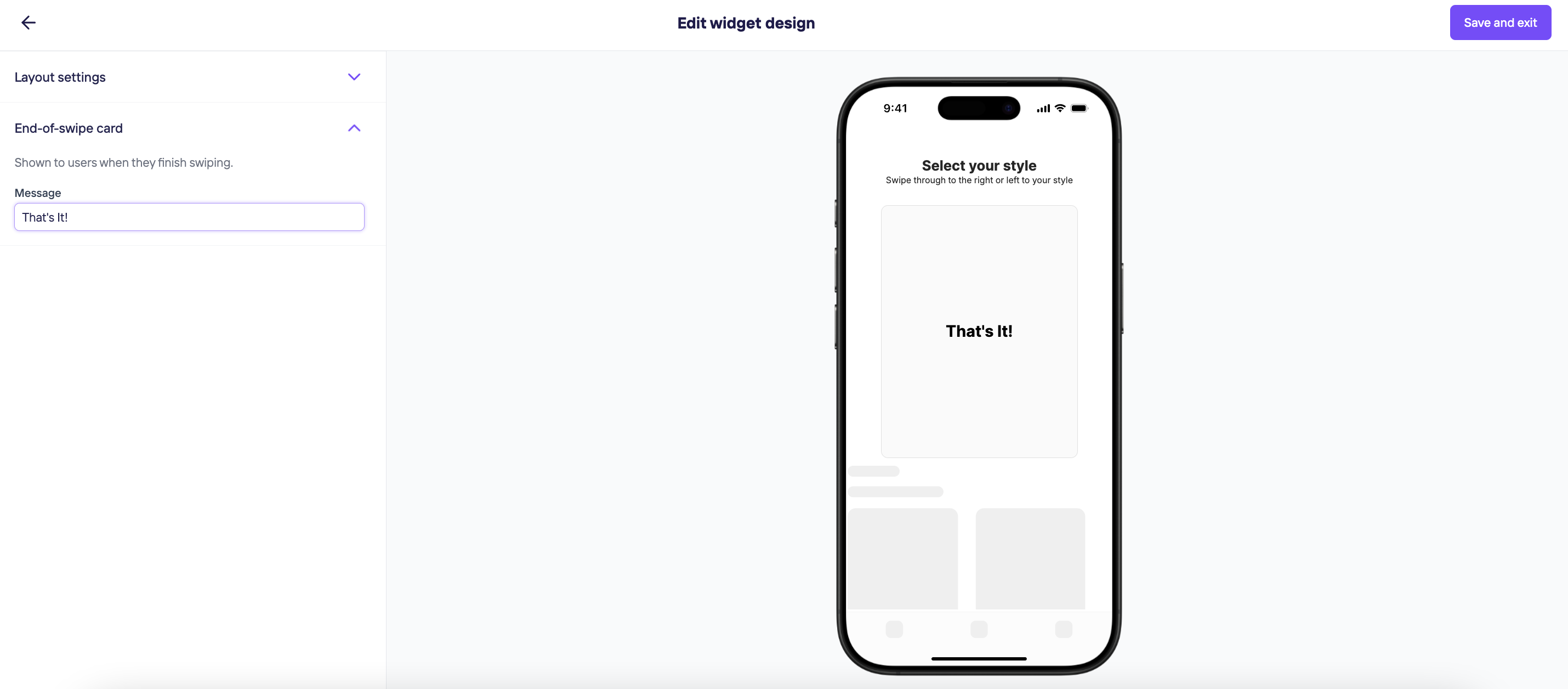
Once you are done, click on Save and exit on the top right corner.
Updated 10 months ago
What’s Next
Did this page help you?