

Creating Placements
Placement help you organize and manage where your Storyly widgets appear in your app or website (homepage, PDP, category page, etc).
Instead of integrating each widget separately, you simply integrate the placement you want to use, making it easier to manage and activate widgets and flows.
For creating a Placement, click on + Create placement in the top left corner. The next steps will be:
- Define a unique name for your placement. It will help you identify it later.
- Choose the App and platform this placement will appear
- Select one widget to display under this placement (if your widgets aren't created yet, you can select No Widget and assign this later).
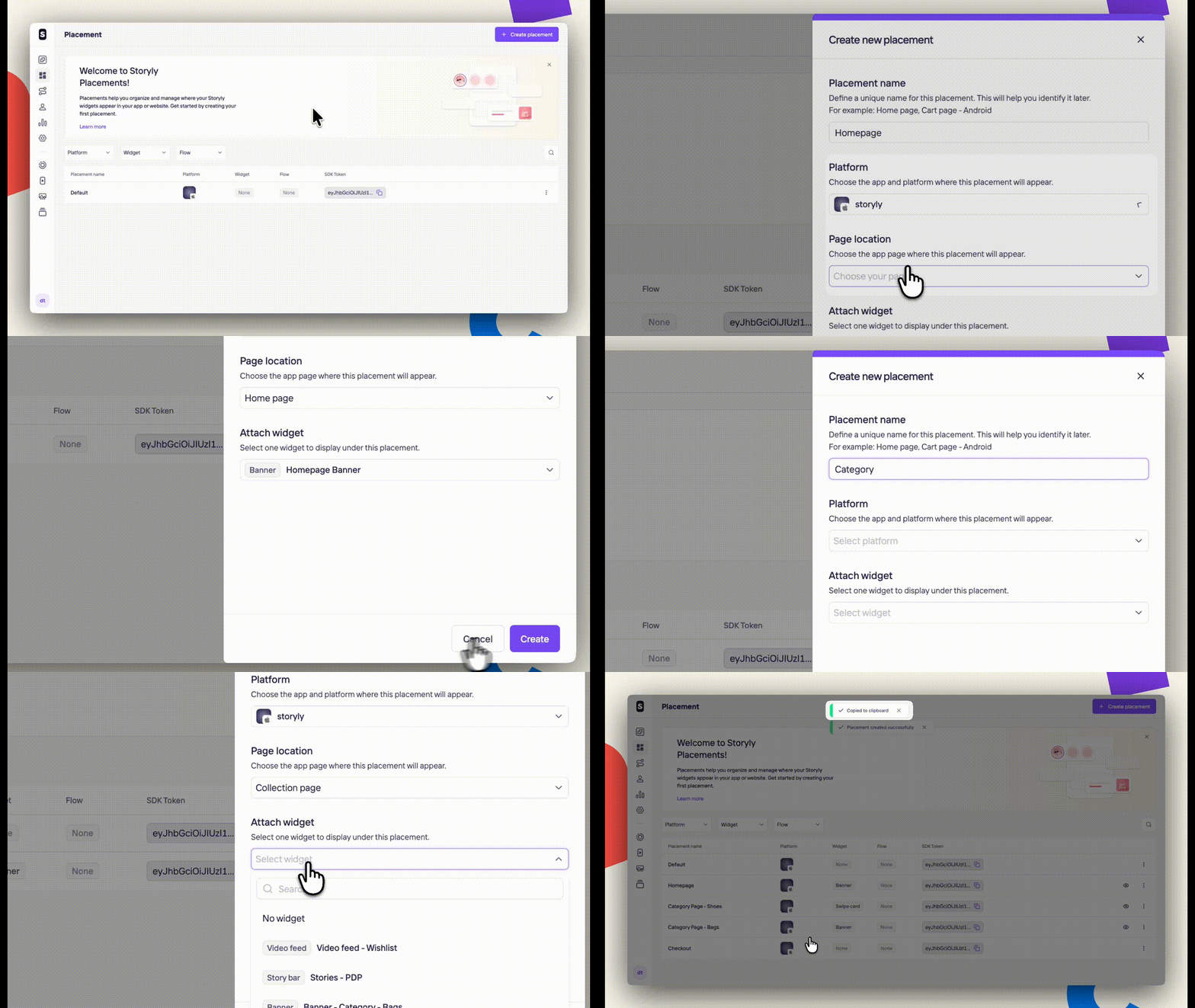
After clicking on the Create button below, you will find the token of your new placement to be integrated under the placements list for the chosen platform. When everything is set and you want to start the integration processes, you'll need to share the related token with the development team.
Updated 10 months ago
Did this page help you?